Level-up your bike maintenance with the Hubtiger mobile app and Strava

Calling all cycling enthusiasts! Maintaining your bike is essential for ensuring a smooth and enjoyable cycling experience. However, every cyclist knows that bike maintenance can sometimes be a daunting task, riddled with challenges and frustrations. From keeping track of service history to finding reliable bike shops, the journey of maintaining your two-wheeled companion can feel like an uphill climb.
The Hubtiger mobile app is designed specifically for cyclists and serves as an extension of our comprehensive repair and rental management software. It aims to make your bike maintenance as seamless and enjoyable as the ride itself. And here's where it gets even better - with the integration of Strava, the app takes things to a whole new level!In this easy-to-follow guide, we'll walk you through the process of connecting your Strava account to the Hubtiger mobile app, unlocking a range of exciting features and benefits that will make your bike maintenance journey a breeze.
How to connect Hubtiger and Strava
So let's dive in and experience the perfect blend of cycling and technology with Hubtiger and Strava!
Step 1: Set Up Your Strava Account
To get started, create your Strava account, if you do not already have one. Visit the Strava website or download the mobile app, and follow the prompts to create your account. Once your account is set up, navigate to the settings and profile section to create a bike profile. Provide the necessary details, including the make, model, and components of your bike, to ensure accurate maintenance tracking.
Step 2: Download the Hubtiger Mobile App
Next, head to your app store (iOS or Android), and install the Hubtiger mobile app. Launch the app and follow the on-screen instructions to create an account or log in if you already have one.
iOS or Android), and install the Hubtiger mobile app. Launch the app and follow the on-screen instructions to create an account or log in if you already have one.
Step 3: Connect Hubtiger to Strava
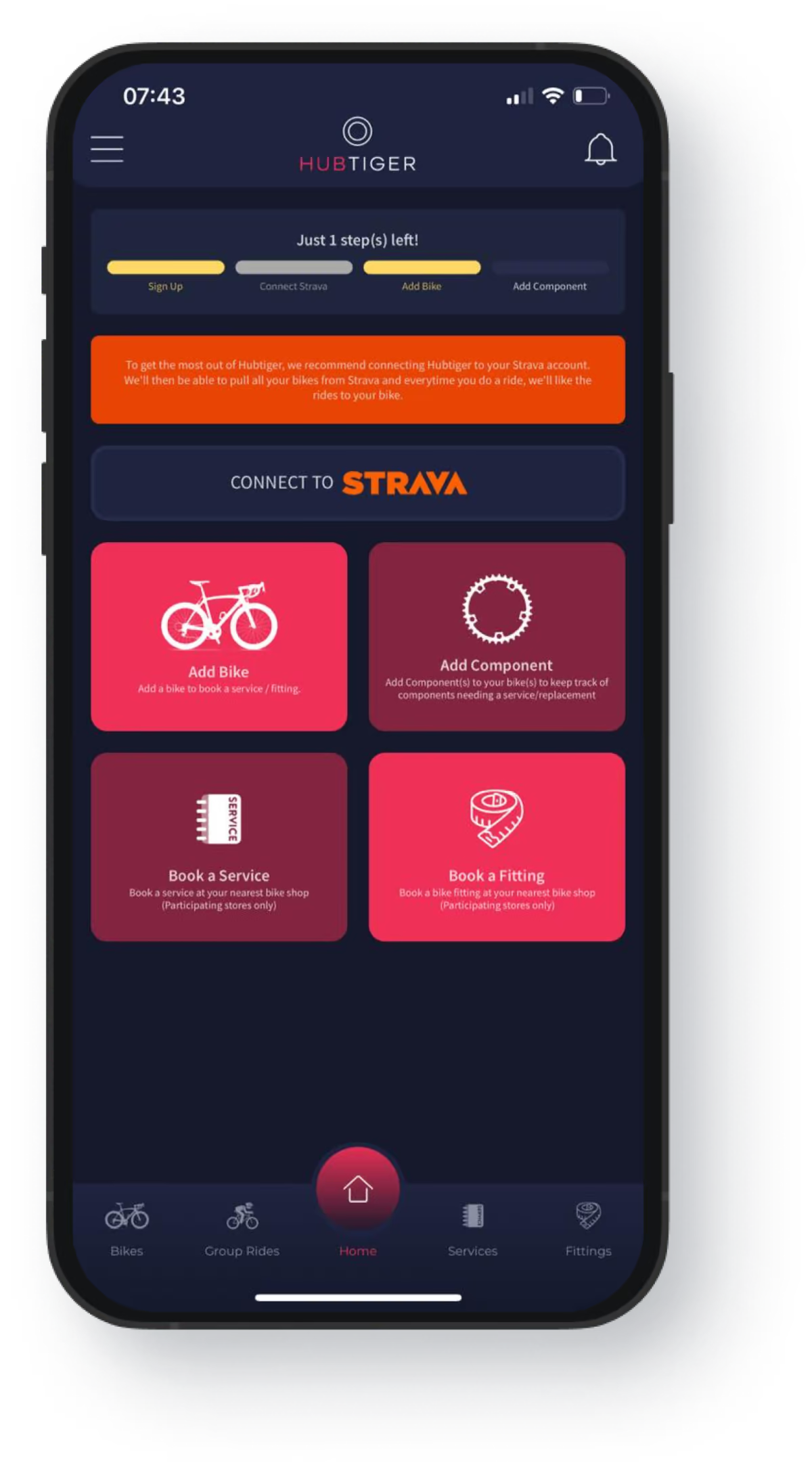
Now, it’s time to bring together the power of Hubtiger and Strava. In the Hubtiger app’s settings or home page, find the
‘Connect to Strava’
option. Tap the Strava integration option on the screen and follow the prompts to authorise the connection between Hubtiger and Strava.
Step 4: Verify and Customise Your Bike Components
Congratulations! Your Strava account is now successfully connected to the Hubtiger mobile app. Your bike profile from Strava will be imported into Hubtiger. We suggest you review and verify the accuracy of the bike components in the Hubtiger app and make any necessary adjustments or additions.
Step 5: Enjoy Automated Maintenance Tracking
Boom! Now you can record your rides with Strava and let Hubtiger monitor key metrics, and gain valuable insights to enhance your ride performance while simultaneously tracking the wear and tear of your bike components, ensuring timely maintenance for optimal performance and longevity of your bike.
Make every pedal count while also ensuring that your bike stays in excellent condition
Beyond tracking your ride activity, the Hubtiger mobile app provides timely maintenance reminders based on factors such as distance covered, ensuring that you never miss essential service intervals. Additionally, Hubtiger allows you to maintain a detailed service history where you can record maintenance tasks, upgrades, and component replacements. This keeps your bike in optimal condition, guaranteeing peak performance every time you hit the road.
The Hubtiger app goes even further by simplifying the process of finding trusted bike shops for repairs. With just a few taps, you can effortlessly search for and book repairs at any bike shop that utilises Hubtiger's software suite. It's like having an extensive network of reliable bike shops right at your fingertips, guaranteeing top-notch service and a seamless repair process for your bike. Whether you require a tune-up, component replacement, or any other repair, you can trust that the Hubtiger app has got you covered.
Download the Hubtiger mobile app, connect your Strava account, and discover the immense benefits of data-driven insights and personalised bike management.
Let’s Make Running Your Business Easier
You may like

How to create a refund policy that protects your business and builds trust
A clear refund policy is one of the simplest ways to protect your shop and build customer trust. According to recent data from Loop, 96% of U.S. consumers say a retailer’s return policy shows how much the brand cares about its customers.

Are you using coupon codes to their full potential in your shop?
Running a rental or repair shop means constantly finding new ways to delight customers, fill quiet spots, and keep revenue growing. One simple yet effective way to do this is by using coupon codes more strategically.