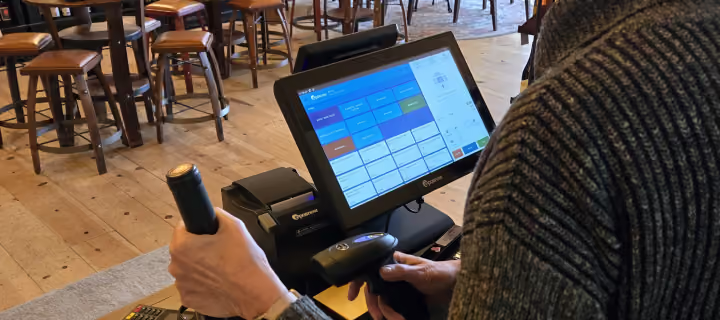
The repair software that works with your Epos Now POS
Every repair starts with the customer's details already there, the parts that are actually in stock, and the pricing that's current.
Repair shops running Epos Now and Hubtiger side by side



Why Epos Now users choose Hubtiger
Before

Customer details entered in Epos Now, then entered again in another system.
Stock gets checked manually before every quote.
At the end of every job, quotes, payments, and inventory are reconciled across two systems.
After

A customer added once in Epos Now is in Hubtiger too.
Stock and pricing are already there when you build a quote.
Approved quotes move straight into Epos Now, and payments sync automatically.
App Store
Find Hubtiger in the Epos Now App Store and connect your repair operation in minutes.You'll need your Epos secret and Epos key to get set up. Once connected, your Hubtiger subscription is billed alongside your Epos Now subscription

Here's what changes when Epos Now and Hubtiger work together

No need to add a customer in Hubtiger that you already have in Epos Now
When you open a repair job in Hubtiger, your Epos Now customer records are already there. No re-entering details when scheduling a repair. No asking a customer for information that's been in your system for years.
Parts, prices, and stock levels are right there when you build a repair quote
Your parts, pricing, and available stock quantities live in Epos Now. When a technician builds a repair quote in Hubtiger, all of it is right there. You quote against what you actually have - no switching between systems to check.
The approved quote reaches Epos Now before your customer reaches the counter
Once a customer approves a repair quote in Hubtiger, it lands in Epos Now as a parked sale. Your counter staff don't need to re-enter the job or look anything up. The repair is done. The sale is waiting. All they need to do is take payment.

See how it works with your shop
We'll show you how Epos Now connects to Hubtiger and what that means for your repairs.
Frequently asked questions
If you can't find what you're looking for here, our team is available on live chat.
Getting set up takes minutes. Find Hubtiger in the Epos Now App Store, add your Epos secret and Epos key, and your data starts syncing straight away.
No. Hubtiger works alongside Epos Now, not instead of it. Once connected, the two systems share customer, pricing, and inventory data, so your team does not have to enter anything twice.
Data syncs automatically at regular intervals. If you need an immediate update, you can force a refresh at any time by clicking the sync icon in Hubtiger.
Adding Hubtiger via the Epos Now App Store is free. Once your trial ends and you choose a Hubtiger plan, your subscription is billed directly through Epos Now - added to your existing bill.




