
Two-way texting, built into how you work
Ikeono is a business text messaging tool built for independent retailers. Connect it to Hubtiger and manage every customer conversation from a single inbox - using your own number.
When the conversation is connected to the work, everything moves faster

Every customer conversation - sales, repairs, and rentals - in one inbox.
Messages go out from your own number.
Customers can reply by text to ask questions or approve next steps.
Replies are visible inside Hubtiger and Ikeono.
Currently available for shops in the United States and Canada.
For repair and service shops
A repair stalls when you can't reach the customer. A quote sits unapproved. A part goes unordered. Your technician moves on to something else and the job falls to the bottom of the pile.
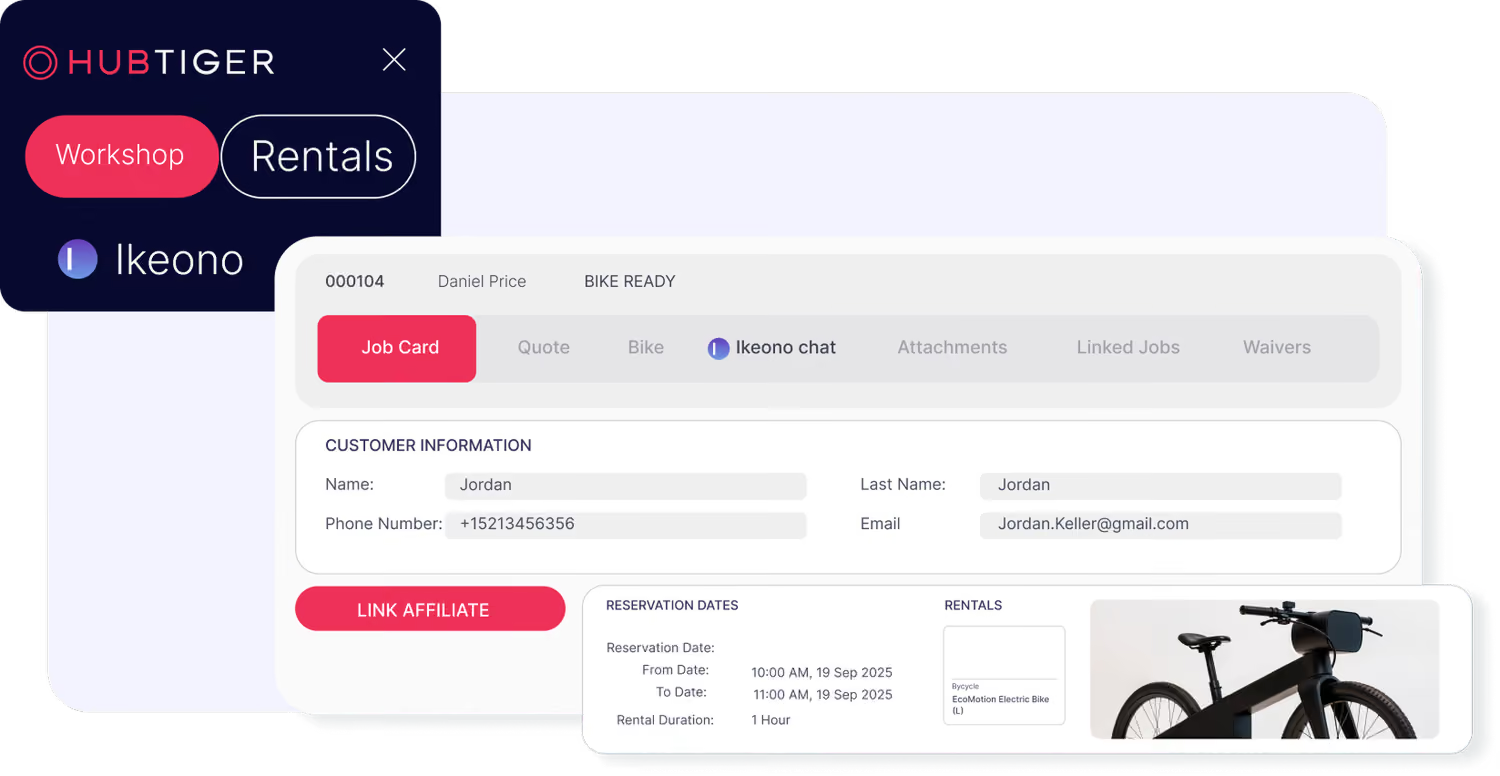
With Ikeono connected to Hubtiger, updates go out from your store's number. The customer replies by text. The approval comes back without a phone call. The repair keeps moving and the conversation is right there in Hubtiger, linked to the job.
For rental shops
Rental communication is full of small, time-sensitive moments. A customer running late with a return. A booking that needs confirming before the item goes out. A last-minute question about pickup location or timing.
With Ikeono connected to Hubtiger, those messages go out from your store's number and customers can reply directly. The conversation stays linked to the rental in Hubtiger. Your team stays informed without having to chase anyone down.
What changes when Ikeono connects to Hubtiger

Your own number
Messages go out from your store's number. Customers know who they're hearing from. Replies come back to the same number, keeping the conversation consistent from start to finish.
Two-way replies
When a customer replies, the message comes back into Hubtiger - linked to the service or rental it relates to. It's also visible in Ikeono, where the conversation sits against the customer record. Your team has the full picture in both tools.
One inbox for everything
Sales conversations, repair updates, and rental messages all sit in the same Ikeono inbox. Your team doesn't need to switch between tools to see what's been said. Everything is in one place, organised by customers.
Booking confirmations
Confirmations go out automatically at the right moment. Customers can confirm, ask a question, or request a change by text.
Automated booking reminders
Reminders go out before a service or rental without anyone on your team having to remember to send them. If something changes, the customer replies by text. The response lands in Hubtiger and in Ikeono.
See what two-way messaging looks like in your shop
We'll show you how Ikeono connects to Hubtiger and what it looks like when a customer replies to an update in real time.
Frequently asked questions
If you can't find what you're looking for here, our team is available on live chat.
Ikeono is a great option if you want one inbox for all your customer communication - sales, repair, rental, and marketing - all coming from a single phone number. It supports two-way messaging, so your customers can reply and your team picks up the conversation without switching between tools. If that sounds like your setup, Ikeono is worth exploring.
No. The integration is included in your Hubtiger subscription at no extra cost. You will need an Ikeono account to get started, as it is a separate product with its own subscription, billed directly by Ikeono.
Getting started takes a few minutes. Click 'Connect' in Hubtiger, enter your Ikeono email and password when prompted, and you're all set.
Yes. Messages sent through Ikeono still appear in the messaging section of the job card.
Yes. When a job status changes in Hubtiger, your customers are notified via SMS through Ikeono. Your existing message templates stay in place - only the way the message is sent changes.
Yes. Ikeono supports two-way messaging, so your customers can reply directly and your team receives their response in the Ikeono inbox. Note that replies sent through the Hubtiger customer portal will not appear in Ikeono.
The Ikeono Chrome extension lets you access your Ikeono inbox directly within Hubtiger. Your team can manage conversations without switching between the two systems. Check out this guide for set-up details.




